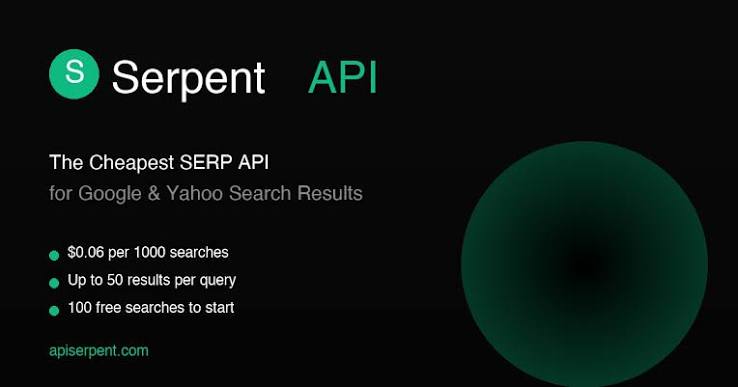
Search engine results are an important source of data for SEO, market research, rank tracking, competitor analysis, and many other digital projects. However, collecting cheapest serp api search results manually can be slow and difficult to scale. A SERP API makes this process easier by allowing developers and businesses to retrieve search engine results programmatically.
With many SERP API providers available, choosing the cheapest SERP API can be challenging. The lowest advertised price is not always the best deal because pricing may depend on search volume, features, locations, supported search engines, and API limits. This guide explains how to compare SERP API providers and find an affordable solution for your project.
Understand Your Project Requirements
Before comparing prices, determine exactly what your project needs. Start by estimating how many searches you expect to make every month. A small website may only require a few thousand searches, while an SEO platform could need hundreds of thousands or even millions.
You should also consider which search engines and locations you need. Some projects require Google results only, while others may need Bing, Yahoo, Google Maps, or other search platforms. If you need localized results, check whether the provider supports country, city, language, and device targeting.
Understanding your requirements helps you avoid paying for features you will never use.
Compare Pricing Models
SERP APIs use different pricing models, so comparing the headline price alone can be misleading. Some providers charge per successful search, while others offer monthly packages with a fixed number of requests.
When searching for the cheapest SERP API, calculate the effective cost per request. For example, if a provider offers 100,000 searches for $50, the approximate cost is $0.0005 per search. Another provider might advertise a lower monthly price but include significantly fewer searches.
Look for providers that clearly explain what counts as a request and whether failed searches, retries, or certain advanced queries consume credits.
Check Free Trials and Starter Plans
A free trial can be extremely useful when selecting a SERP API. It allows you to test response quality, speed, reliability, documentation, and available features before spending money.
Do not evaluate a provider only by its trial quota. Test the API with the same types of queries your application will use. Check whether the returned results contain the information you need, such as organic listings, advertisements, featured snippets, local results, and other SERP features.
A low-cost provider is valuable only if its data works reliably for your project.
Evaluate API Performance
Price is important, but performance should also be part of your comparison. An inexpensive API that frequently fails or takes too long to return results can increase development and operating costs.
Look for information about response times, uptime, request limits, and error handling. A good SERP API should provide reliable responses and clear documentation for dealing with temporary errors or unavailable results.
If your project performs searches at scale, also check whether the provider supports concurrent requests. This can have a major impact on overall performance.
Consider Proxy and Location Features
Search engine results can change depending on the user’s location, language, device, and other factors. If your project involves international SEO, local search tracking, or competitor research, geographic targeting may be essential.
Some SERP API services include proxy infrastructure and location targeting in their pricing. Others may charge additional fees for premium locations or specialized searches.
When comparing the cheapest SERP API options, make sure you compare equivalent features. A service that looks cheaper initially may become more expensive after adding the location or proxy features you require.
Review Search Engine Coverage
Different projects require different search engines. If you only need Google results, a provider focused on Google SERPs may be sufficient. However, applications serving multiple markets or search platforms may need broader coverage.
Check whether the API supports the search engines, result types, and query formats required by your application. Also verify whether features such as Google Shopping, Google News, Google Images, or Google Maps are available if they are important to your workflow.
Paying for extensive coverage that you do not use is unnecessary, but choosing a provider without required coverage can create problems later.
Calculate Your Total Cost
The cheapest SERP API is not necessarily the provider with the lowest monthly subscription. Consider the total cost of using the service.
Your calculation should include the monthly plan, additional requests, premium locations, specialized SERP features, overage charges, and any other usage fees. Also consider development time. A slightly more expensive API with excellent documentation and simple integration could save your team considerable time.
Create a simple comparison table with price, monthly requests, cost per request, supported search engines, locations, response speed, and important features. This makes it easier to identify the best value.
Read Reviews and User Feedback
Before making a final decision, research feedback from developers and SEO professionals. Reviews can reveal issues that are not obvious from a provider’s pricing page.
Pay attention to comments about reliability, customer support, data accuracy, unexpected charges, and API stability. Recent feedback is especially useful because pricing and service quality can change over time.
Choose Value Over the Lowest Price
Finding the cheapest SERP API should not mean choosing the absolute lowest price. Instead, look for the best balance between cost, reliability, features, and scalability.
For a small project, an affordable starter plan may be enough. For a large SEO platform, a provider with competitive high-volume pricing and dependable infrastructure may offer much better value.
Conclusion
Finding the cheapest SERP API requires more than comparing monthly subscription prices. Start by calculating your expected search volume and identifying the features your project actually needs. Then compare pricing models, request limits, search engine coverage, location support, performance, and additional costs.
Testing several services through free trials or small plans can help you make an informed decision. By comparing the total cost and overall value, you can choose a SERP API that fits your budget while still providing the reliable search data your project needs.
