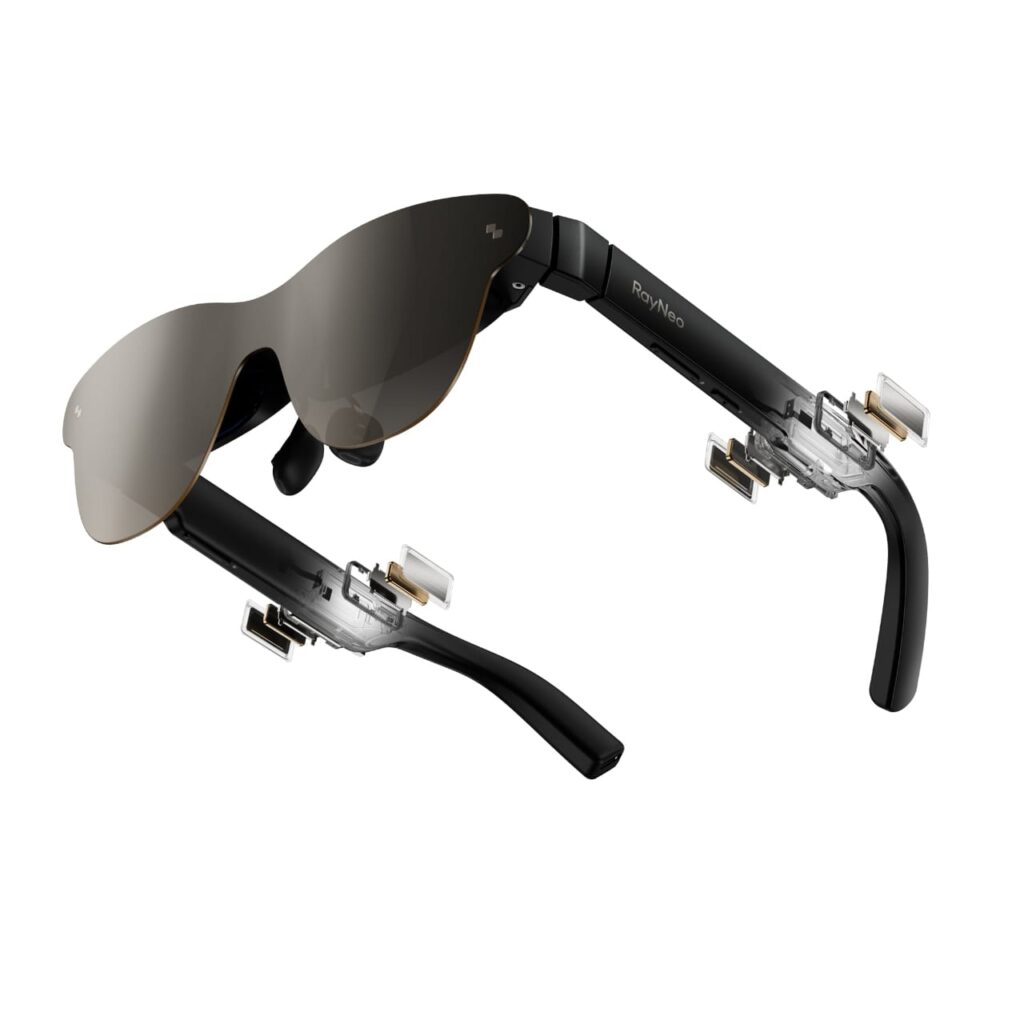
Smart glasses are quickly moving from niche gadgets to everyday productivity and entertainment tools. Among the latest entries, RayNeo Air 3s Pro stands out for its lightweight design, immersive display, and wide device support. This compatibility guide explains how the RayNeo Air 3s Pro works with Android and iPhone devices, what you need to connect it smoothly, and how to get the best experience regardless of your mobile platform.
Understanding RayNeo Air 3s Pro and Its Core Technology
RayNeo Air 3s Pro is designed as a pair of augmented reality smart glasses that project a virtual large screen directly in front of your eyes. Instead of replacing your smartphone, it extends your phone’s display into a private, cinematic viewing space. This makes it useful for watching videos, playing games, working with documents, and even navigating apps while on the move.
At its core, RayNeo Air 3s Pro relies on direct video output from your phone or via a compatible adapter. Because Android and iPhone ecosystems differ in hardware ports and software permissions, compatibility depends on the right connection method and settings.
RayNeo Air 3s Pro Compatibility with Android Devices
USB-C DisplayPort Support on Android
Most modern Android smartphones use a USB-C port, but not all USB-C ports are created equal. For RayNeo Air 3s Pro to work seamlessly, the Android phone must support DisplayPort Alt Mode over USB-C. This feature allows video and audio signals to be transmitted directly from the phone to the glasses.
Many flagship Android devices from brands like Samsung, Google, Xiaomi, and OnePlus support this standard. When connected, RayNeo Air 3s Pro mirrors the phone’s screen instantly without additional configuration.
Android Versions and Software Requirements
RayNeo Air 3s Pro generally works best with Android 10 and above. Newer Android versions provide better external display handling, smoother rotation control, and improved power management. While older Android versions may still connect, users might experience limited features or stability issues.
Installing the official companion app, when available, can unlock additional controls such as brightness adjustment, display calibration, and firmware updates. These software enhancements significantly improve the user experience.
Gaming and Media Experience on Android
Android users benefit greatly from RayNeo Air 3s Pro when it comes to gaming and media. Cloud gaming services, mobile games, and streaming platforms appear as a large virtual screen, offering an immersive feel without carrying a tablet or laptop.
Low latency through direct USB-C connection makes RayNeo Air 3s Pro suitable for fast-paced games, while stereo audio support enhances movies and shows.
RayNeo Air 3s Pro Compatibility with iPhone Devices
Lightning Port iPhones and Adapters
Older iPhone models equipped with a Lightning port require a digital AV adapter to connect with RayNeo Air 3s Pro. The adapter converts the Lightning output into a compatible video signal for the glasses.
Using certified adapters is important to avoid signal drops, resolution limits, or power issues. While this setup works well for video streaming and general use, it may introduce slight latency compared to a direct USB-C connection.
USB-C iPhones and Direct Connection
Newer iPhone models with USB-C ports provide a much simpler experience. These devices can connect directly to RayNeo Air 3s Pro using a compatible USB-C cable, similar to Android phones with DisplayPort support.
This direct connection improves image quality, reduces lag, and eliminates the need for bulky adapters. For iPhone users, this is currently the most seamless way to use RayNeo Air 3s Pro.
iOS Version Considerations
RayNeo Air 3s Pro performs best on iOS 16 and above. Newer iOS versions handle external displays more efficiently and support higher resolutions. Screen mirroring works across most apps, including video platforms, productivity tools, and browsers.
However, some apps may restrict external display output due to content protection policies. This limitation comes from the app developer rather than RayNeo Air 3s Pro itself.
Wired vs Wireless Connectivity Options
Wired Connection Advantages
A wired setup is the most stable and widely supported option for RayNeo Air 3s Pro. It ensures consistent video quality, minimal latency, and no dependency on wireless networks. For gaming, work, or long viewing sessions, wired connectivity is highly recommended.
Wireless Casting Possibilities
In some setups, wireless screen casting may be possible using third-party devices or hubs. While convenient, wireless connections can introduce lag, compression artifacts, and occasional disconnections. RayNeo Air 3s Pro is optimized primarily for wired use, so wireless casting should be considered a secondary option.
Power Consumption and Battery Impact
RayNeo Air 3s Pro draws power directly from the connected device. On both Android and iPhone, extended usage will increase battery drain. Using a powered adapter or external battery pack can help maintain longer sessions.
Some Android phones support reverse charging or simultaneous charging while outputting display, which can significantly extend usability. iPhone users may need specialized adapters to achieve the same effect.
Comfort and Daily Usability Across Platforms
RayNeo Air 3s Pro is lightweight and designed for extended wear. Adjustable nose pads and balanced weight distribution make it comfortable for both Android and iPhone users. Because the glasses mirror your phone screen, your overall experience depends largely on how well your phone handles multitasking and external displays.
Text clarity, brightness, and color accuracy remain consistent across platforms, making RayNeo Air 3s Pro a reliable choice regardless of your mobile ecosystem.
Common Compatibility Issues and How to Fix Them
Some users may encounter issues such as no display output, flickering screens, or audio not routing correctly. These problems are usually resolved by checking cable quality, confirming DisplayPort support, updating the phone’s operating system, or adjusting display settings.
Using official or high-quality third-party accessories is essential to avoid connection problems.
Is RayNeo Air 3s Pro Worth It for Both Android and iPhone Users?
RayNeo Air 3s Pro offers broad compatibility and a flexible experience for both Android and iPhone users. Android users enjoy wider native support due to USB-C DisplayPort availability, while iPhone users—especially those with USB-C models—can achieve equally smooth performance.
Whether you prioritize entertainment, productivity, or portability, RayNeo Air 3s Pro adapts well to both platforms with the right setup. By understanding your device’s port type, software version, and connection options, you can unlock the full potential of RayNeo Air 3s Pro and enjoy a next-generation viewing experience on the go.
Check out the RayNeo Air 3s Pro AR Glasses here. Enjoy Extra 8% Off Sitewide With Exclusive Coupon Code: WEAR8
