Accidents happen when you least expect them, and a stray splash of coffee, water, or soda across your desk can instantly turn your high-end Apple laptop into an expensive paperweight. When moisture infiltrates the sensitive interior of an Apple Silicon or Intel notebook, time is your absolute worst enemy. Finding professional help through top macbook repair and services can mean the difference between a minor component clean and a total system failure. Understanding how liquid impacts your hardware, what immediate steps you must take, and why specialized component-level diagnosis matters will protect your investment and save your vital data.
The Immediate Threat: What Happens Inside a Wet Laptop
When liquid crosses the perimeter of your keyboard, it does not just sit on the surface. Modern MacBooks feature tightly packed internal architecture where the logic board, battery connectors, and delicate data flex cables sit directly beneath the typing deck. Pure water poses an immediate electrical short-circuit risk if the machine is powered on, but conductive liquids like juice, milk, tea, or coffee introduce sugars and acids that accelerate degradation.
The moment electricity flows through wet circuitry, an electrochemical reaction begins. This process, known as electrolytic corrosion, rapidly eats away at microscopic copper traces, solder joints, and surface-mount components. Left unchecked for more than twenty-four hours, this corrosion spreads silently, bridging connections that should never touch and frying integrated circuits long after the liquid itself has seemingly evaporated. This is precisely why casual home remedies—such as burying a damp laptop in a bag of uncooked rice—fail to reverse the chemical damage happening underneath the shielding plates. Rice cannot remove sticky residues, nor can it halt microscopic oxidation already eating away at your logic board.
Emergency Action Plan: The Critical First Hours
If you experience an accidental spill, your actions in the first few minutes dictate whether your machine can be saved. To maximize your chances of a full recovery before visiting a professional repair center, follow these vital steps immediately:
- Force a complete shutdown by holding down the power button for ten full seconds. Do not check if the screen still works, and do not put the laptop to sleep. Cutting off electrical current immediately prevents permanent circuit shorts.
- Unplug the power adapter and disconnect any external accessories, USB drives, or peripherals instantly.
- Open the display to approximately ninety degrees and invert the laptop into an upside-down “V” or tent shape over an absorbent towel. This gravity-assisted angle prevents liquid from migrating further downward into the core logic board assembly.
- Resist all temptations to plug the charger back in or turn the device on to test its functionality. Testing a wet computer is the single most common cause of catastrophic component burnout.
- Seek professional intervention immediately. Bringing your device to a dedicated service center within the first twenty-four hours dramatically increases your recovery probability.
What to Look for in Specialized Apple Repair Labs
Choosing the right technical support is critical when dealing with complex liquid contamination. Authorized brand stores often enforce rigid corporate policies that mandate full logic board replacements whenever liquid indicators are triggered, leading to astronomical repair bills that sometimes approach the cost of a brand-new machine. In contrast, independent specialists offering top macbook repair and services focus on component-level restoration rather than blanket part swaps.
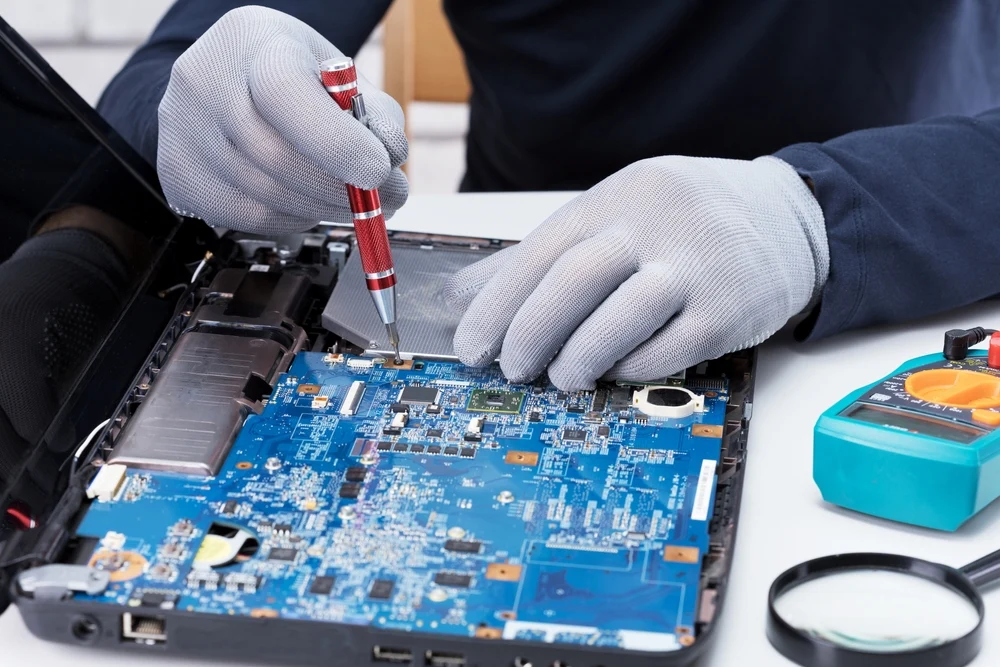
A premier repair facility will employ certified technicians equipped with advanced diagnostic tools, such as high-powered stereo microscopes and precision hot-air rework stations. When you hand over your damaged device, the workflow should involve complete disassembly, isolation of the lithium-ion battery, and a thorough ultrasonic bath using high-purity isopropyl alcohol to dissolve corrosion and mineral deposits from beneath microchips. Furthermore, technicians must perform meticulous manual micro-soldering to rebuild severed traces or replace individual shorted capacitors, ensuring your laptop returns to factory specifications safely and affordably.
Data Safety and Long-Term Prevention
Beyond saving the hardware itself, your primary concern during any major liquid incident is safeguarding your personal files, documents, and creative projects. On older Intel-based MacBooks, storage drives were often modular, making data recovery straightforward even if the motherboard died. However, modern Apple Silicon machines feature solid-state storage soldered directly onto the logic board. If your system suffers catastrophic liquid damage on an M-series chip, data retrieval relies entirely on keeping the board stable long enough to transfer your files.
This reality underscores the vital importance of maintaining regular cloud backups or external Time Machine archives. When professional technicians evaluate your water-damaged device, data integrity should always remain their top priority before any aggressive electrical work begins. By relying on experienced experts who understand the intricate layout of Apple hardware, you ensure that your device receives the precise, careful attention it requires to rise from the ashes of an unfortunate spill.
