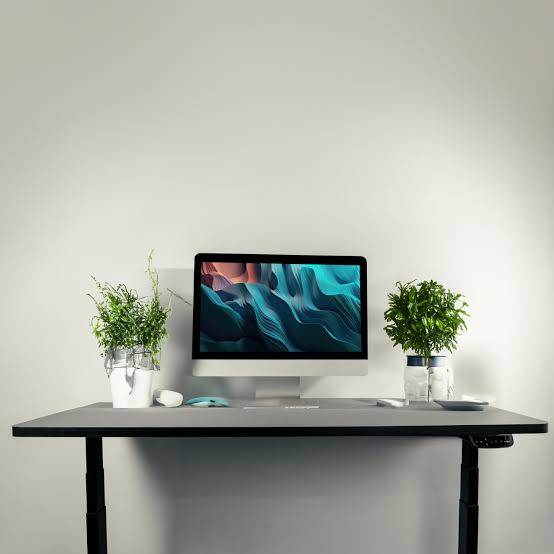
A modern workspace is no longer defined only by a computer, keyboard, and desk lamp. As digital tasks become more demanding, people are looking for practical ways to organize information without constantly switching between applications, windows, and devices. A smart desk display can provide a simple solution by keeping useful information visible in a dedicated space. Whether used for productivity, scheduling, communication, or personalization, this type of display can make a workspace feel more structured and easier to manage.
Instead of checking a phone repeatedly or opening another browser tab, users can place important information directly within their line of sight. The result can be a cleaner workflow, fewer interruptions, and a desk environment that better supports focused work.
Create a Central Information Point
One of the most useful ways to use a smart desk display is as a central information point. A busy workday may involve calendars, reminders, weather updates, timers, notifications, task lists, and other information. Keeping everything accessible from one compact display can reduce the need to repeatedly check different devices.
For example, a display positioned beside a monitor can show the current time, upcoming meetings, or important reminders. This allows users to stay informed while keeping their primary computer screen focused on the current task.
The goal is not to display everything at once. A well-organized workspace benefits from showing only the information that is genuinely useful throughout the day.
Use Digital Displays for Daily Planning
Planning is an important part of maintaining an organized workspace. A smart desk display can act as a visual reminder of the day’s priorities. Users can configure it to show schedules, deadlines, appointments, or task-related information.
A simple morning setup might display the date, today’s calendar, and a short list of important tasks. During working hours, the screen could emphasize meeting times or countdown timers. At the end of the day, it might switch to tomorrow’s schedule.
This flexible approach makes the display more than a decorative accessory. It becomes a practical planning tool that supports better awareness of time and responsibilities.
Keep the Main Monitor Clutter-Free
Computer screens can quickly become crowded with applications and notifications. Messaging platforms, project management tools, email, calendars, and browser tabs can compete for attention. A smart desk display can move some secondary information away from the main monitor.
For instance, users may dedicate the smaller display to the clock, weather, productivity timer, or calendar while reserving the primary monitor for demanding work. This separation can create a more organized visual environment.
It is especially helpful for people who work with large documents, spreadsheets, creative software, or multiple browser windows. Instead of constantly minimizing and reopening applications, secondary information remains visible nearby.
Build a Personalized Productivity Station
Every person organizes their workspace differently. Some prefer minimal screens and simple clocks, while others enjoy having several pieces of information available. Modern display technology allows users to create a setup that matches their working style.
A smart desk display can become part of a personalized productivity station by combining useful information with visual customization. Users might select different layouts for work, study, gaming, or creative activities.
A professional layout could emphasize time and scheduling, while a creative workspace might use artwork, animations, inspirational messages, or visual indicators. Personalization makes the desk feel more connected to the user’s routine.
Add Visual Reminders Without Interruptions
Traditional reminders often appear as notifications on a phone or computer. While useful, they can interrupt concentration. A dedicated display can provide reminders in a more passive way.
A visual reminder about an upcoming meeting, scheduled break, or important task can remain visible without demanding immediate interaction. This creates an unobtrusive method of staying aware of responsibilities.
For students, the display could show study schedules or assignment deadlines. For remote workers, it could highlight meeting times. For creative professionals, it could display project milestones or production reminders.
Combine Information With Digital Art
Organization does not have to make a workspace look boring. Digital displays can combine productivity information with visual creativity. Pixel-inspired graphics, animated artwork, icons, and changing backgrounds can add personality while maintaining useful functionality.
A smart desk display positioned near a monitor can therefore serve two purposes: providing information and contributing to the overall appearance of the workspace.
Users can choose subtle visual designs for professional environments or more colorful themes for personal spaces. The ability to change content also means the desk can look different depending on the time of day or activity.
Create Different Modes for Different Activities
One effective organization strategy is to create display modes based on different activities. A work mode might show the time, calendar, and productivity timer. A study mode could emphasize deadlines, breaks, and schedules. A relaxation mode might display artwork, ambient visuals, or simple information.
This approach prevents the display from becoming overloaded. Instead of showing every possible feature simultaneously, users can create focused layouts for specific situations.
Different modes can also help create psychological boundaries. When the work layout appears, it can signal the beginning of a focused session. When a more relaxed visual layout appears, it can help separate personal time from work.
Make Time More Visible
Time management becomes easier when time-related information is easy to see. A desk display can show a large digital clock, countdown timer, calendar date, or other time indicators.
This is particularly useful when working on tasks that require focused sessions. A visible timer can encourage users to work within a defined period before taking a break. It can also help people prepare for meetings without repeatedly checking their phones.
Because the information is placed directly on the desk, it can remain accessible without interrupting the primary workflow.
Improve the Visual Organization of the Desk
Physical organization and digital organization often influence each other. A cluttered desk can make a workspace feel distracting, while a thoughtfully arranged setup can create a stronger sense of control.
A compact display can help by providing useful information without requiring another large monitor. When positioned carefully, it can become a visual anchor for the desk.
Cable management, monitor placement, lighting, keyboard positioning, and display orientation can all contribute to a cleaner arrangement. The objective is to make technology feel integrated rather than scattered across the workspace.
Use Smart Displays as Ambient Workspace Companions
Not every feature needs to improve productivity directly. Sometimes a display can simply make the workspace more pleasant. Ambient graphics, subtle animations, weather information, or changing artwork can provide visual interest during long work sessions.
The key is balance. A display should enhance the environment rather than become another source of distraction. Simple animations and limited information can maintain a calm atmosphere while still adding personality.
This is particularly valuable for home offices, where the workspace often needs to function as both a professional and personal environment.
Choose Features That Match Your Routine
The best setup is not necessarily the one with the most features. Instead, users should consider how they actually work and choose display functions accordingly.
Someone who frequently attends meetings may benefit most from calendars and time indicators. A student may prioritize schedules and reminders. A content creator may prefer creative visuals alongside productivity information. A gamer might want a combination of statistics, timers, and personalized artwork.
Before adding a smart desk display, it is useful to identify the information that is checked repeatedly throughout the day. Those details are usually the strongest candidates for permanent or frequently visible display content.
Keep the Workspace Simple and Useful
A modern digital workspace should make information easier to access rather than adding unnecessary complexity. A smart desk display can support this goal by presenting selected information in a compact and visually appealing format.
The most effective setup combines organization, convenience, and personalization. Instead of constantly moving between devices, users can keep essential details visible in one dedicated location. At the same time, customizable visuals can make the workspace more enjoyable.
As digital workspaces continue to evolve, small information displays are becoming useful additions to desks of all kinds. From scheduling and time management to digital art and ambient visuals, they provide flexible ways to improve the relationship between people and their technology. With thoughtful configuration, a smart desk display can become a practical centerpiece of an organized, efficient, and personalized digital workspace.
